Computer Keeps Restarting? Here’s What’s Really Going On
A computer that keeps restarting is reporting a symptom. It is not identifying the problem.
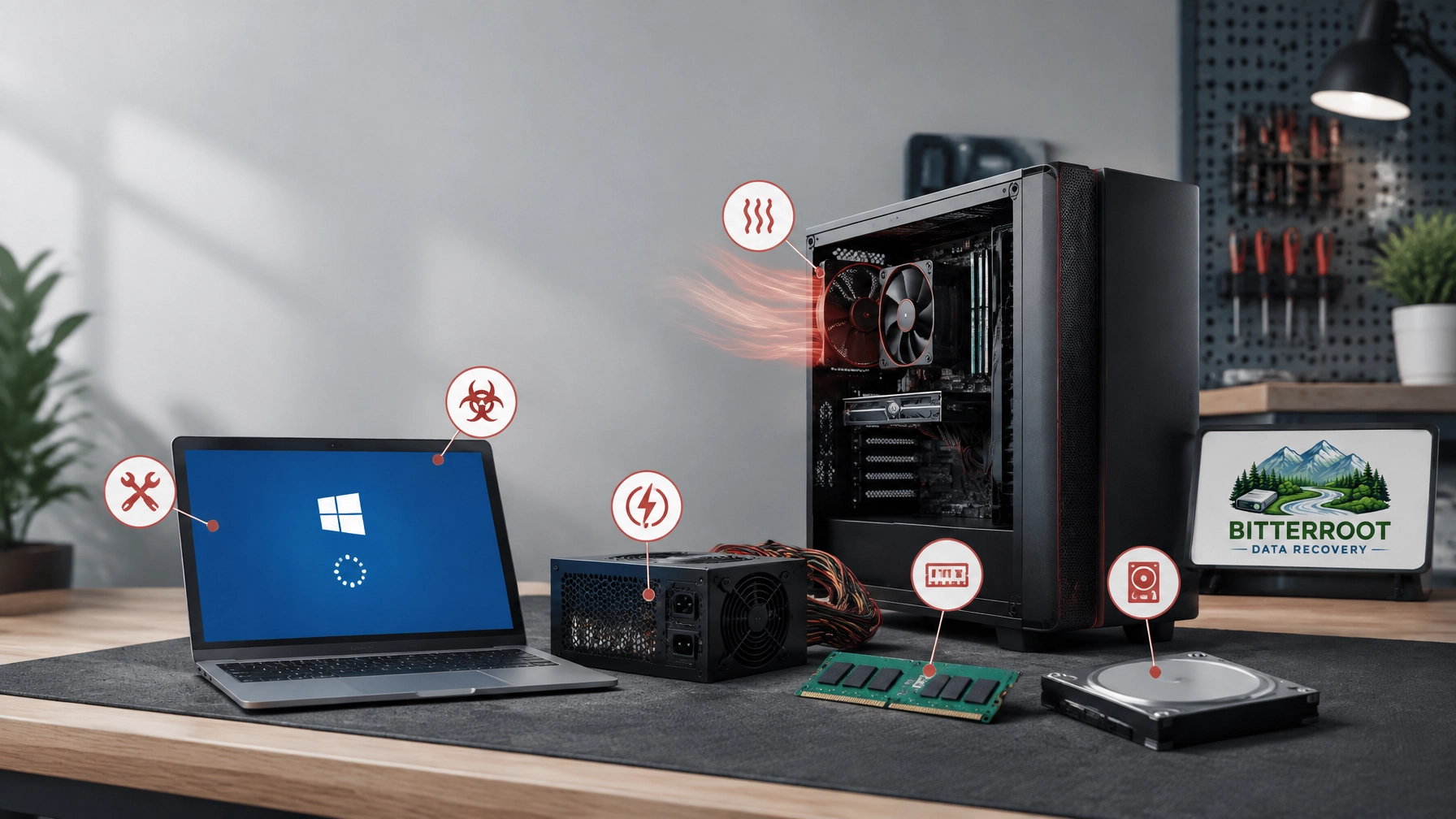
The restart may be caused by excessive heat, unstable power, bad memory, Windows corruption, malware, a failing drive, or a driver conflict. In some cases, the computer restarts to protect its hardware. In others, Windows crashes and automatically reboots before displaying useful information.
This guide provides a methodical way to narrow down the cause. It applies to desktops and laptops used by homeowners, retirees, and small businesses in Hamilton, Stevensville, Victor, Corvallis, and Florence. Bitterroot Data Recovery is based in Victor, Montana, and serves the Bitterroot Valley.
If the computer contains important files, stop troubleshooting before repeated crashes make the situation worse. Bitterroot Data Recovery provides free diagnostics and logical data recovery with a no cure, no fee policy. Bitterroot Data Recovery specializes in logical data recovery, computer repair, data transfers, backup setup, malware removal, upgrades, and secure drive wiping.
A Restart Loop Is a Symptom, Not the Problem
Problem
A computer may restart:
- At random while you are working
- When opening a demanding program
- During startup
- After showing a blue screen
- At the Windows login screen
- While sitting idle
- During an automatic repair cycle
The restart itself does not identify the failed component. It only tells you that Windows or the hardware encountered a condition it could not continue through.
Solution
Look for the pattern. The timing of the restart often provides the first useful clue.
- Restarts during gaming, video editing, or other heavy work suggest heat or power problems.
- Restarts while opening files suggest storage or Windows problems.
- Restarts during startup suggest drive failure, system corruption, or a bad update.
- Restarts at idle suggest memory, driver, motherboard, or malware issues.
- Restarts after installing hardware suggest compatibility or seating problems.
Cost
Do not replace parts based only on the restart symptom. A wrong diagnosis can add unnecessary cost. Bitterroot Data Recovery offers free diagnostics before repair work begins.
Cause 1: Overheating

Problem
Overheating is one of the most common causes of unexpected restarts.
Dust restricts airflow through fans, heatsinks, and vents. A laptop may also overheat when used on a bed, couch, or blanket. Over time, thermal paste between a processor and its heatsink can dry out. A failing fan may spin slowly or stop under load.
When temperatures reach a critical level, the computer may shut down or restart to protect the processor and other components.
Solution
Check for:
- Loud or inconsistent fan noise
- Hot air that suddenly stops moving
- A hot case or laptop keyboard
- Vents blocked by dust or soft surfaces
- Restarts during games, video calls, or large file transfers
A professional cleaning service can remove internal dust, inspect the cooling system, replace dried thermal paste, and verify fan operation. See our related computer repair and service information.
Example scenarios:
- A Hamilton laptop restarts after 20 minutes of video conferencing.
- A Stevensville desktop shuts down during gaming.
- A Florence computer runs normally until a photo-editing application opens.
Cost
A cleaning and tune-up may resolve the problem without replacing major hardware. Bitterroot Data Recovery’s computer tune-up service is $50–$75.
Cause 2: A Failing Power Supply
Problem
Desktop computers depend on a power supply unit, or PSU, to deliver stable power to the motherboard, processor, drives, and graphics card.
A failing or underpowered PSU can cause an instant restart. The screen may go black without a blue screen. The problem often appears when the computer is under load.
Warning signs include:
- Restarts during gaming or intensive software
- The computer suddenly dying
- Buzzing or electrical noise from the case
- A burning smell
- Restarts after adding a graphics card or other hardware
Windows may record an unexpected shutdown as Kernel-Power Event 41. That event confirms that the shutdown was abnormal. It does not prove that the PSU is defective.
Solution
Check the power cable, wall outlet, and surge protector. Do not open the PSU. Its internal capacitors can retain dangerous voltage.
A technician can test the computer with known-good power equipment and inspect the motherboard and graphics-card connections.
Example scenarios:
- A Victor business desktop restarts whenever accounting software runs a report.
- A Corvallis gaming computer reboots during graphics-heavy games.
- A home desktop turns off and restarts with no warning.
Cost
Bitterroot Data Recovery can use free diagnostics to determine whether the PSU is a likely cause before recommending replacement.
Cause 3: Bad or Failing RAM
Problem
Random-access memory, or RAM, temporarily holds the data that Windows and applications are using. A failing module can cause:
- Random restarts
- Blue screens
- Application crashes
- Memory-related error messages
- Problems that change from one day to the next
A loose RAM stick can create similar symptoms after a move, cleaning, or hardware upgrade.
Solution
Windows includes a memory diagnostic tool. A deeper test can check each module separately. A technician can also reseat the RAM and test one component at a time.
Do not assume that a blue screen means Windows is the problem. Faulty memory can damage the data Windows is actively processing and produce software-looking errors.
Example scenarios:
- A retiree’s desktop restarts while browsing, but not at a predictable time.
- A Stevensville office PC began crashing after a RAM upgrade.
- A laptop shows different blue-screen messages on different restarts.
Cost
Memory testing is part of a proper diagnostic process. If a module has failed, replacement cost depends on the computer and the required RAM type.
Cause 4: Windows Corruption or a Bad Update
Problem
Windows can become unstable after:
- A failed update
- A damaged system file
- An interrupted upgrade
- A corrupted boot configuration
- An incompatible driver
- A sudden power loss
Common messages include:
- “Your PC did not start correctly”
- “Preparing Automatic Repair”
- “Diagnosing your PC”
- A repeated automatic repair loop
Solution
A repair install may restore Windows while preserving applications and files. If the installation is badly damaged, a clean Windows reinstall may be more reliable. Important files should be backed up before either process.
Windows system checks such as SFC and DISM may help in some cases. If the computer cannot remain stable long enough to complete repairs, professional service is safer.
Example scenarios:
- A Hamilton computer began restarting after a Windows update.
- A Florence laptop reaches Automatic Repair and starts over.
- A small business PC crashes after a power interruption.
Cost
Bitterroot Data Recovery’s Windows reinstall service is $50–$100. A repair install or data backup may affect the final price.
Cause 5: Malware
Problem
Malware can install unwanted startup tasks, modify system settings, consume processor resources, or interfere with drivers. Some infections can destabilize Windows and force restarts.
Restarts combined with pop-ups, browser redirects, unknown applications, disabled security tools, or unusual network activity require attention.
Solution
Disconnect the computer from the network if you suspect an active infection. Avoid entering banking or business credentials until the system has been checked.
A proper malware-removal process includes scanning, removing malicious software, reviewing startup items, cleaning browser extensions, and verifying security settings.
Example scenarios:
- A Victor home computer restarts after repeated fake virus warnings.
- A Corvallis office computer becomes slow and reboots during normal work.
- A laptop has unfamiliar programs and disabled antivirus protection.
Cost
Bitterroot Data Recovery provides virus and malware removal for $75–$150, depending on the condition of the system.
Cause 6: A Failing Hard Drive or SSD

Problem
A hard drive or SSD that cannot reliably read data can cause application crashes, Windows errors, freezes, and restarts. This is the urgent cause because continued use may increase the risk of data loss.
Warning signs include:
- Clicking or grinding from a mechanical hard drive
- Very slow startup
- Files that will not open
- Repeated disk errors
- Missing folders
- The computer freezing before restarting
- A drive-health warning
Clicking or grinding from a mechanical hard drive indicates a physical or mechanical failure, not a standard logical issue.
Solution
Back up important files immediately if the computer is still accessible. Do not repeatedly restart a failing drive to “see if it improves.” Do not run aggressive repair tools before securing important data.
Bitterroot Data Recovery specializes in logical data recovery and does not imply repair or recovery of mechanically damaged drives in-house. Devices with clicking, grinding, or other mechanical symptoms may need referral to a specialized data recovery lab. Bitterroot Data Recovery uses non-destructive imaging for logical recovery cases. Recovery work is covered by a no cure, no fee policy. Standard logical recovery typically runs $120–$350, while advanced logical recovery typically runs $350–$700 after a free diagnostic. Review the recovery pricing guide or contact us before attempting risky repairs.
Example scenarios:
- A Florence business computer restarts while opening customer records.
- A Hamilton laptop displays a drive warning and becomes slow.
- A Stevensville desktop cannot open folders that were available yesterday.
Cost
The correct first step is evaluation, not formatting. A replacement SSD may improve reliability and speed. SSD upgrade labor is $50 plus the cost of the drive. Data recovery pricing depends on the device and recovery requirements.
Cause 7: Driver Conflicts or Recent Hardware Changes
Problem
A new graphics card, RAM stick, USB device, printer, docking station, or driver can conflict with Windows.
The timing is the key clue. If the computer started restarting immediately after a change, that change deserves attention.
Solution
Remove nonessential peripherals. Roll back or reinstall a recent driver. Check whether the restart stops in Safe Mode. Confirm that new hardware is fully seated and compatible.
Do not update the BIOS or replace multiple components at once unless you have a recovery plan.
Example scenarios:
- A Victor desktop restarts after a new graphics card is installed.
- A business laptop crashes after a docking station update.
- A Corvallis computer becomes unstable after adding RAM.
Cost
The repair may involve only driver work or hardware reseating. If the issue is part of a broader support request, Bitterroot Data Recovery provides IT support at $45 per hour with a one-hour minimum.
How to Narrow Down a Computer That Keeps Restarting
Use this short framework before bringing the computer in.
1. Note when it restarts
Record whether the restart occurs:
- During startup
- At the Windows login screen
- While idle
- When opening files
- Under heavy workload
- After connecting a peripheral
2. Check Event Viewer
Search Windows for Event Viewer. Open:
Windows Logs → System
Look near the restart time for:
- Kernel-Power Event 41: unexpected shutdown
- WHEA-Logger: possible hardware or PCIe error
- Disk or NTFS errors
- Driver or update errors
Microsoft provides additional information about unexpected restart events in its Windows troubleshooting discussion.
3. Look for heat
Check the vents and listen to the fans. Make sure a laptop is on a hard, flat surface. Do not continue a heavy workload if the computer is visibly overheating.
Dell’s thermal shutdown guidance also identifies blocked airflow, dust, and cooling problems as common factors.
4. Protect the data
If the computer has important files, back them up before running repairs. If the drive is clicking, very slow, or reporting errors, stop using it and request a diagnostic.
When to Bring It In
Bring the computer to Bitterroot Data Recovery when:
- It restarts repeatedly during startup.
- It cannot stay on long enough to back up files.
- The drive makes unusual noises.
- You smell burning or hear electrical buzzing.
- The computer overheats within minutes.
- A Windows repair loop will not stop.
- The problem began after a failed update or hardware change.
- The computer contains business, tax, financial, or family files.
We test hardware one component at a time. The process may include temperature checks, memory testing, drive-health evaluation, power testing, malware scans, Windows repair, and backup planning.
Call (406) 284-8090 or use our contact page for direct service information for customers in Hamilton, Stevensville, Victor, Corvallis, Florence, and throughout the Bitterroot Valley.
What It Costs If We Fix It
Bitterroot Data Recovery provides transparent pricing after diagnostics:
- Diagnostic: Free
- Virus and malware removal: $75–$150
- Windows reinstall: $50–$100
- Computer tune-up and cleaning: $50–$75
- IT support: $45 per hour, one-hour minimum
- SSD upgrade: $50 labor plus the drive
- Logical data recovery: quoted after a free diagnostic; covered by no cure, no fee
- Standard logical recovery: $120–$350
- Advanced logical recovery: $350–$700
A computer that keeps restarting is not automatically beyond repair. The correct response is to identify the pattern, protect the data, and test the likely causes in order.
For a free diagnostic, call (406) 284-8090 or contact Bitterroot Data Recovery.