The Best Data Recovery Is the One You Never Need: A Backup Guide for the Bitterroot Valley
Every recovery case we see is a backup that did not exist, was not current, or had never been tested.
Data recovery can help. It is not a guarantee. A backup is cheaper, more predictable, and easier to verify.
Bitterroot Data Recovery provides backup setup for homes and small businesses in Victor, Hamilton, Stevensville, Corvallis, and Florence. The goal is simple: create reliable copies before a failure occurs.
Why the best recovery is the one you never need
Problem: A failed drive, ransomware infection, or accidental deletion can make important files inaccessible. Recovery may succeed. It may not. Recovery also creates downtime while the device is evaluated and the files are reconstructed.
Solution: A backup creates a known-good copy before the emergency. Automatic backup software can copy important files to an external drive and cloud destination on a schedule.
Cost: A professional backup setup costs $120–$300. The optional 1TB drive plus automated backup setup is $180.
Logical data recovery costs:
- Standard logical recovery: $120–$350
- Advanced logical recovery: $350–$700
- Free diagnostic
- No cure, no fee on logical recoveries
Recovery pricing does not include lost work time, missed deadlines, lost income, or the cost of recreating records. Some data cannot be recovered after severe damage, overwriting, theft, fire, or flood.
The no cure, no fee policy exists because recovery is never guaranteed. Prevention removes much of that uncertainty.
Examples:
- A failed laptop drive with no backup.
- A deleted folder of tax records.
- A corrupted external drive containing family photos.
- A ransomware infection that encrypts local files.
What causes data loss in the Bitterroot Valley?
Problem: Data loss does not require an unusual event. Hardware failure and human error are two of the largest causes. Rural homes and businesses also face power outages, storms, and electrical surges that can interrupt or damage equipment.
Common causes include:
- Internal or external drive failure.
- Accidental deletion or formatting.
- Ransomware and malware.
- Power outages and electrical surges.
- Dropped laptops and liquid spills.
- Theft.
- Fire or flood.
- Mistakes during file transfers or computer repairs.
Solution: A current backup protects the data even when the original computer or drive is unavailable. It also gives you a recovery option after an accidental change.
Cost: A backup setup costs less than rebuilding years of photos, business records, or accounting files. Additional IT support is $45 per hour, with a 1-hour minimum.
Examples:
- A power surge damages both a computer and its attached drive. An offsite cloud copy remains available.
- A user deletes a folder by mistake. A tested backup provides another copy.
- Malware encrypts local files. A separate backup can provide a clean restore point.
The 3-2-1 rule without the jargon

Problem: One copy is not a backup. A second copy next to the computer may be lost in the same theft, surge, fire, or flood.
Solution: Use the 3-2-1 rule:
- 3 copies of important data.
- 2 different types of media.
- 1 copy stored offsite.
A local Bitterroot Valley example:
- Working files remain on your computer.
- A nightly automatic backup runs to an external drive.
- Important documents and photos also copy to a cloud backup location.
Cost: The cost depends on storage size and backup requirements. A basic 1TB drive plus automated setup is $180.
This arrangement limits a single point of failure. It also makes the backup process automatic instead of dependent on memory.
Examples:
- Home computer: photos on the laptop, backup on an external drive, critical albums in the cloud.
- Small business: QuickBooks files on the workstation, nightly external backup, offsite cloud copy.
- Student laptop: class documents on the laptop, automatic local copy, cloud copy for active projects.
What to back up and what to skip

Problem: Backing up everything can waste storage and time. Skipping irreplaceable files creates unnecessary risk.
Solution: Prioritize files that would be difficult or impossible to recreate.
Back up:
- Family photos and videos.
- Tax records.
- Financial files, including QuickBooks .QBB and .QBW files.
- Client and patient records for businesses.
- Scanned documents.
- Email archives.
- Browser bookmarks.
- Product keys and software licenses.
- Active project folders.
Usually skip:
- Windows itself.
- Installed programs.
- Temporary files.
- Streaming media.
- Files that can be downloaded again.
Cost: A smaller, focused backup can reduce storage costs. The main cost is configuration time. Backup setup is $120–$300.
Examples:
- A retiree should prioritize decades of photos and scanned family documents.
- A business should prioritize accounting files, customer records, and contracts.
- A photographer should prioritize original image files and active project folders.
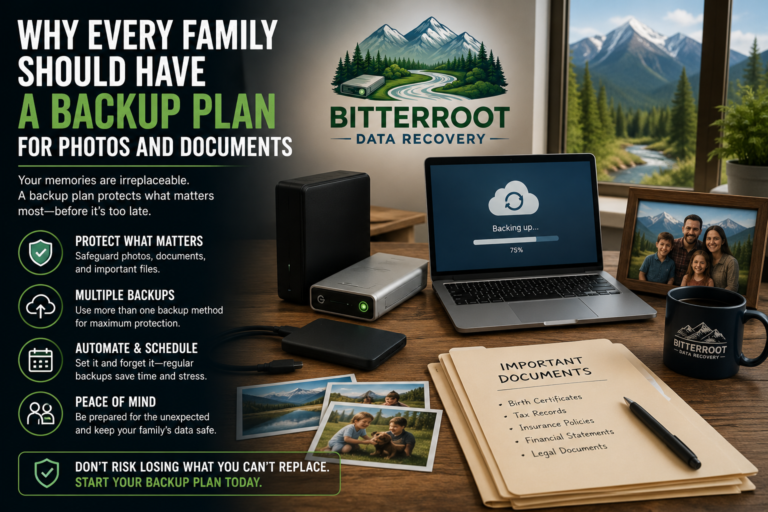
For more family guidance, see Why Every Family Should Have a Backup Plan for Photos and Documents.
Backup options compared honestly
Problem: Manual copying appears simple. It fails because people forget. A USB drive sitting in a drawer does not protect new files.
Solution: Choose a system that runs automatically and produces a separate copy.
| Option | Best use | Main limitation |
|---|---|---|
| Manual USB or external drive copy | Small, occasional transfers | Easy to forget |
| External drive with scheduled backup | Home computers and workstations | Drive must remain available and maintained |
| Cloud backup service | Offsite protection | Requires internet access and subscription terms |
| Network-attached storage | Multiple computers in one location | Does not replace an offsite copy |
| Hybrid setup | Important home and business data | Requires proper configuration |
Automatic beats manual because humans forget. Cloud sync is also not always a full backup. If a file is deleted or encrypted and that change synchronizes everywhere, the copies may disappear or become unusable together. A proper backup should provide version history or separate recovery points.
See NAS vs. External Hard Drive: Which Is Right for Your Data?.
Examples:
- Basic home setup: automatic external drive backup.
- Home office: external drive plus cloud backup.
- Small business: workstation backups, network storage, and an offsite copy.
How Bitterroot Data Recovery sets up a backup

Problem: A backup can fail because it protects the wrong folders, lacks enough storage, or has never been tested.
Solution: Bitterroot Data Recovery configures the system around the files that matter.
The process includes:
- Free consultation: Review your computer, files, and concerns.
- Data review: Identify where important files live.
- Drive sizing: Select adequate backup capacity.
- Schedule configuration: Set daily or nightly automatic backups.
- Cloud configuration: Add an offsite copy when appropriate.
- Restore test: Restore an actual file so you can see the process work.
- Written instructions: Leave clear steps for checking the system.
A backup that has never been tested is not a backup. The setup typically takes 1–2 hours, depending on the computer and data volume.
Cost: Backup setup is $120–$300. The 1TB drive plus automated backup setup is $180. On-site setup is available for local small businesses. Additional IT support is $45 per hour, with a 1-hour minimum.
For business planning, read Does Your Business Need a Backup Plan? A Local Guide for Bitterroot Valley Businesses.
Who needs a backup most?
Problem: People often wait until after a loss. That delay is expensive.
Solution: Set up protection before the next failure.
Backup setup is especially useful for:
- Retirees with decades of family photos.
- Small businesses running QuickBooks without a second copy.
- Photographers and drone operators.
- Students with active coursework.
- Home offices with business records.
- Anyone who has already paid for data recovery once.
Cost: Prevention starts at $120 for setup. That is usually less than the cost of recovering one damaged drive, excluding lost time.
Searchers looking for computer repair Hamilton MT, laptop repair Stevensville MT, or data recovery near me can contact Bitterroot Data Recovery in Victor, MT. Service is available throughout the Bitterroot Valley.
Backup mistakes to avoid
Problem: A poorly designed backup can create false confidence.
Solution: Check for these common errors:
- Saving the backup to the same physical drive.
- Keeping the only backup drive beside the computer.
- Never testing a restore.
- Treating cloud sync as a complete backup.
- Forgetting the second computer in the home.
- Backing up files that are already encrypted or corrupted.
- Failing to check whether scheduled jobs completed.
Cost: Fixing a backup design is less expensive before a data-loss event. Additional review is $45 per hour, with a 1-hour minimum.
Examples:
- A computer and its attached external drive are both stolen.
- A synced folder deletes a file from every device.
- A backup drive contains only an old copy from two years ago.
- A second household laptop has no protection at all.
When prevention is not enough
Problem: Data may already be missing from an internal HDD, external hard drive, USB flash drive, SD card, or SSD.
Solution: Stop using the device when possible. Contact Bitterroot Data Recovery for a free diagnostic. We specialize in logical recovery involving accidental deletion, formatting issues, and corrupted partitions. Recovery uses non-destructive imaging practices.
Cost: Logical recovery is covered by a no cure, no fee policy.
- Standard logical recovery: $120–$350
- Advanced logical recovery: $350–$700
- Free diagnostic
Devices requiring advanced physical recovery may need referral to a specialized recovery lab. Bitterroot Data Recovery specializes in logical data recovery, computer repair, data transfers, backup setup, malware removal, upgrades, and secure drive wiping.
If an external drive is already failing, review External Hard Drive Not Working? Here’s How to Save Your Data.
Frequently asked questions
How often should I back up?
Use daily or nightly automatic backups for active documents and business files. More frequent schedules may be appropriate for work that changes throughout the day.
Is cloud storage enough?
Cloud storage can provide an offsite copy. Cloud sync alone may not be enough because deletions or ransomware changes can synchronize across devices. Use a backup service with version history when possible.
How much does a backup service cost?
Backup setup costs $120–$300. The optional 1TB drive plus automated backup setup is $180.
Can I back up to the same external drive I already have?
Yes, if it has enough free space, is healthy, and is configured for automatic backups. It should not be the only copy. A diagnostic can help verify its condition.
Do I need a backup if I use OneDrive?
Yes. OneDrive can synchronize files, but synchronization is not always the same as an independent backup. Important files should have another copy with recovery history.
What is the 3-2-1 rule?
Keep 3 copies of your data on 2 types of media, with 1 copy offsite.
Is a backup worth it for a home computer?
Yes. Photos, tax records, scanned documents, and personal files can be difficult or impossible to replace. A basic setup costs less than most recovery services.
What happens if I lose data with no backup?
Stop using the device and request a free diagnostic. Logical recovery may be possible. Pricing is $120–$350 for standard recovery or $350–$700 for advanced logical recovery. No cure, no fee applies to logical recoveries.
Set up protection before the next failure
A backup is the cheapest insurance in computing. It is predictable, testable, and available before an emergency.
Call or text Bitterroot Data Recovery at (406) 284-8090 for a free backup consultation or diagnostic. We serve Victor, Hamilton, Stevensville, Corvallis, Florence, and the surrounding Bitterroot Valley.