Signs Your Hard Drive Is Failing — and What to Do Before Data Loss
A hard drive rarely fails without notice. Slow file access, unusual noises, missing folders, and SMART warnings are the early signals most people overlook until the drive stops responding altogether. Knowing which signs of hard drive failure need attention right now, and which can wait, is often the difference between a routine backup and a data recovery case.
If you are searching for the signs your hard drive is failing, the main goal is simple: protect the data before the drive gets worse. Some warning signs mean "monitor closely." Others mean "act now." A few mean "stop immediately." The right response depends on the symptom, not guesswork.
At Bitterroot Data Recovery, we focus on logical data recovery, computer repair, data transfers, backup setup, malware removal, upgrades, and secure drive wiping. We provide free diagnostics from Victor, MT for customers across the Bitterroot Valley. On logical recovery work, we follow a No Data, No Fee approach.
Signs Your Hard Drive Is Failing: Start With Urgency
A failing drive does not always fail all at once. Some drives degrade slowly. Some drop off quickly. The practical question is not "Is it definitely dead?" The practical question is "How much risk is there if I keep using it?"
Early / Monitor
These signs often mean the drive may be developing read problems, unstable sectors, connection issues, or increasing wear. They do not confirm one exact diagnosis.
Examples:
- Slow file access on one drive
- Occasional freezes when opening folders
- A drive that disappears and reappears
- SMART warnings
- Rising reallocated sector counts
- Rising pending sector counts
Act Now
These signs suggest a higher risk of rapid deterioration, unreadable sectors, file system damage, or hardware trouble. The drive may still be readable, but time matters.
Examples:
- Clicking
- Grinding
- Beeping
- Repeated disconnects
- Boot failures
- "You need to format the disk" prompts
- Extreme slowness on one drive only
Critical / Stop Everything
These signs indicate a serious failure risk. Further power-on attempts can make the case worse.
Examples:
- Clicking plus no detection
- Drive not spinning up
- Smoke
- Burning smell
Early Warning Signs of a Failing Hard Drive
Slow File Access, Occasional Freezes, or a Drive That Comes and Goes
Problem: The drive may be struggling to read certain areas, maintain a stable connection, or respond consistently. That can happen with weak sectors, interface problems, or developing hardware wear. It is not a confirmed diagnosis by itself.
Solution: Back up the data you still can. Start with the most important files first. Use a healthy destination drive. If the issue affects an external drive, review our guide on what to do when an external hard drive is not working. If the drive stays readable, a non-destructive imaging approach may preserve access before the condition gets worse.
Cost: A free diagnostic helps establish whether the drive appears stable enough for normal copying or whether recovery work is safer. Standard logical recovery is $120–$350. Advanced logical recovery is $350–$700. Typical logical recovery turnaround is 2–5 business days.
Examples:
- A photo folder takes a minute to open
- File Explorer freezes when you click one specific drive
- An external hard drive vanishes, then reappears after reconnecting
- One backup drive is suddenly much slower than usual
SMART Warnings in Plain Language
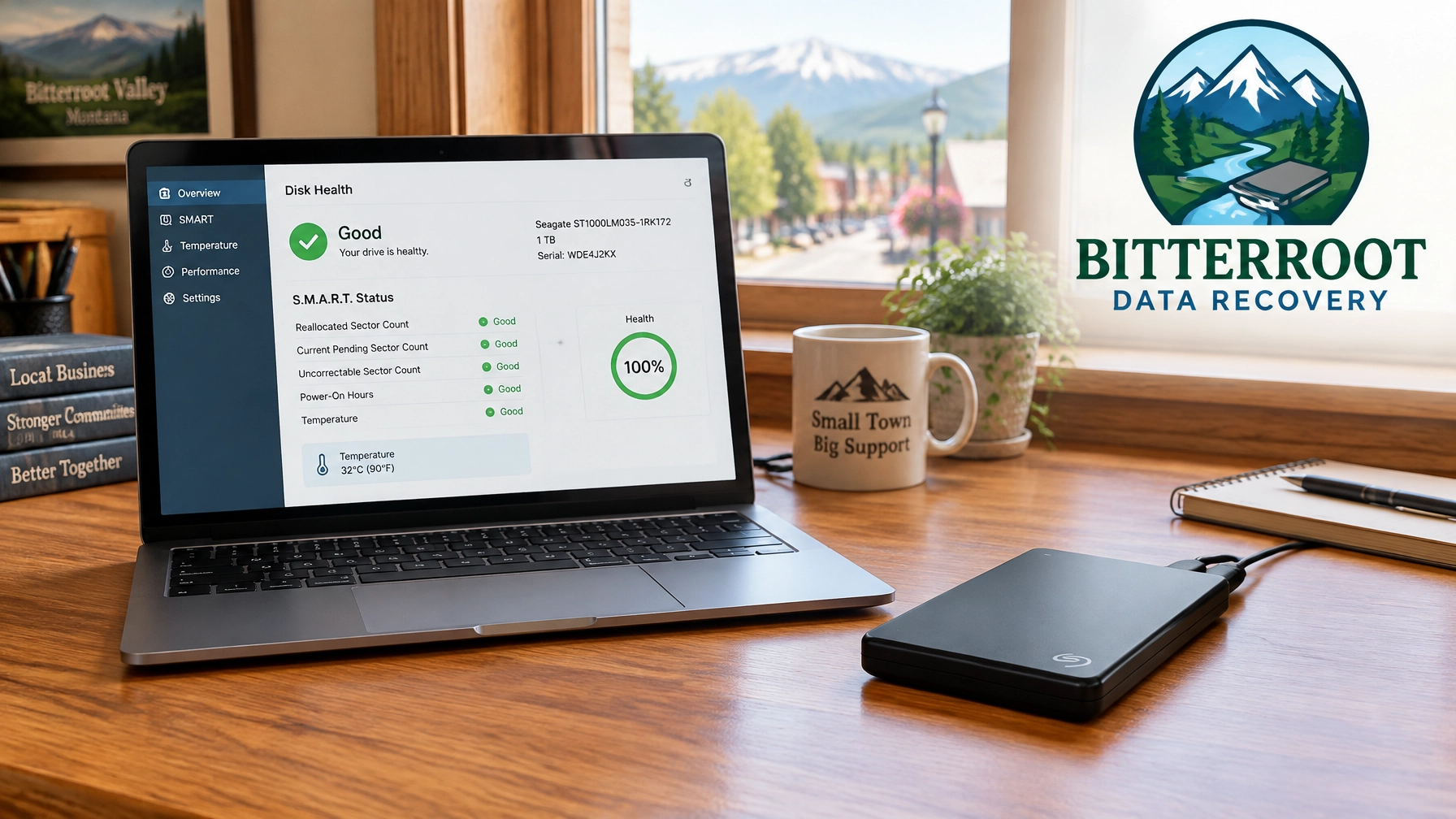
Problem: SMART is a drive's built-in health reporting. Free tools can read it. Windows may also warn that a drive needs to be backed up. SMART can show warning patterns such as rising reallocated sectors or pending sectors. Those numbers are warnings, not a countdown clock. A drive can fail without much warning. A drive can also limp along for a while. The point is risk, not prediction.
Solution: If SMART is warning, treat the drive as suspect. Back up important files now. Do not wait for a convenient time. Do not assume the drive will last another week. If you are unsure how to interpret the warning, stop using the drive for normal work and get a free diagnostic.
Cost: A free diagnostic can help you decide whether to copy data, replace the drive, or move into logical recovery. If replacement is the main need, a backup setup usually runs $120–$300. A 1TB backup drive plus automated setup is $180.
Examples:
- Windows says the drive has a problem and should be backed up
- A SMART tool shows reallocated sector count increasing
- A SMART tool shows pending sectors increasing
- The drive still opens files, but health status is no longer clean
Act Now Signs Your Hard Drive Is Failing
Clicking, Grinding, Beeping, or Repeated Disconnects
Problem: These symptoms often point to a serious hardware issue, unstable read behavior, or a connection path that is failing under load. The exact cause varies. The risk is that each new attempt can make the situation worse.
Solution: Do not keep power-cycling a drive that is clicking or grinding. Each attempt risks further damage and can push a case outside logical recovery. Do not run long scans, defragmentation, or repair tools against a failing drive. If the data matters, stop using the device and arrange a diagnostic. If your computer itself is making unusual sounds, also see our related post on why a computer is making noise.
Cost: A free diagnostic is the starting point. If the drive remains readable enough for imaging and file extraction, logical recovery may fall into $120–$350 or $350–$700, depending on condition and complexity. Typical logical recovery turnaround is 2–5 business days.
Examples:
- The drive clicks every time you plug it in
- A desktop HDD starts beeping and is not ready in File Explorer
- An external drive disconnects halfway through every copy job
- The noise gets worse the longer the drive stays powered on
Boot Failures, Format Prompts, or Extreme Slowness on One Drive Only
Problem: This can mean the drive is failing, the file system is corrupted, or both. A drive that says it "needs to be formatted" is not automatically empty. In many cases, the files may still be present but inaccessible because the file system metadata is damaged.
Solution: Do not format the drive. Do not install software onto it. Do not run repair tools until the important data is secured. If the issue is a format prompt, read our guide on what to do when a hard drive says it needs to be formatted. If the data is still accessible in part, copy the most important files first to a healthy destination.
Cost: File-system corruption cases often fall within logical recovery pricing. Standard logical recovery is $120–$350. Advanced logical recovery is $350–$700. If the best answer is to move healthy data to a replacement drive, data transfer work and file transfer help may be the more efficient path.
Examples:
- Windows says, "You need to format the disk before you can use it"
- The PC hangs on boot when one specific drive is connected
- One internal drive causes severe lag while the rest of the system feels normal
- The drive shows folders, but opening them causes long stalls
Critical Signs Your Hard Drive Is Failing: Stop Using It
Clicking Plus No Detection, No Spin-Up, Smoke, or Burning Smell
Problem: These are high-risk symptoms. They often indicate a severe electrical or physical failure. The drive may no longer be readable through normal logical recovery methods.
Solution: Stop immediately. Disconnect power. Do not try repeated restarts. Do not freeze the drive. Do not tap it. Do not open it. Bring it in for a free diagnostic so the condition can be assessed. Some physical failures need referral to a specialized recovery lab.
Cost: The diagnostic is free. If the drive is still readable enough for logical imaging, recovery may fall into $120–$350 or $350–$700. If the problem is beyond logical recovery, we will explain that before any recovery work begins.
Examples:
- The drive clicks and never appears in Windows
- The drive does not spin up at all
- There is a burnt smell from the enclosure or device
- The system powers off when the drive is connected
Dying Drive vs. Corrupted File System
They Are Not the Same Problem
Problem: People often assume any unreadable drive is "dead." That is not always true. A dying drive has a hardware reliability problem. A corrupted file system means the drive may still physically read data, but the map that tells the computer where files live is damaged.
Solution: Treat both cases carefully. If the drive is physically unstable, the priority is preserving readable sectors through non-destructive imaging. If the file system is corrupted but the hardware remains readable, files may be recoverable in many cases without repairing the original drive in place. The safest path depends on the drive's condition.
Cost: A free diagnostic determines whether the issue looks more like instability, corruption, or a combination. If you need to move data onto a healthy replacement drive after recovery, our backup guide and Services page cover practical next steps.
Examples:
- A readable drive that suddenly says it needs formatting
- A healthy-sounding drive with damaged folders after an unsafe eject
- A slow, unstable drive that also has corrupted directories
- A system that boots only after the suspect drive is disconnected
The Smartest Response at Each Stage
If the Signs Are Early
Problem: Delay turns a manageable backup into a higher-risk recovery.
Solution: Back up the data you still can, in order of importance, to a healthy destination. Start with documents, photos, business files, and anything that cannot be replaced. Then replace the suspect drive.
Cost: Backup setup is typically $120–$300. A 1TB backup drive plus automated setup is $180.
If the Signs Say Act Now
Problem: Continued use can accelerate data loss.
Solution: Stop normal use. Copy only the highest-priority files if the drive is still readable. Avoid long copy jobs of unimportant data. Do not run defragmentation, long scans, or repair utilities against a failing drive.
Cost: If copying is no longer stable, logical recovery may be $120–$350 or $350–$700. Typical turnaround is 2–5 business days.
If the Signs Are Critical
Problem: Repeated power-on attempts can reduce the remaining recovery options.
Solution: Stop everything. Leave the drive off. Arrange a free diagnostic. If the drive requires work beyond our logical recovery scope, we may recommend referral to a specialized recovery lab.
Cost: Diagnostic assessment is free. We explain the likely path before any recovery work begins.
What Bitterroot Data Recovery Does
Logical Recovery, Imaging, and Practical Next Steps
Problem: When a failing drive is still readable, direct file access is often unreliable. Copying files the normal way can stall, disconnect, or skip unreadable areas.
Solution: Our logical recovery process uses non-destructive imaging when the drive condition allows it. The goal is to preserve as much readable data as possible before working through file extraction. A free diagnostic establishes the drive's condition first. If the problem points to a physical failure outside our scope, some cases need referral to a specialized recovery lab.
Cost: Standard logical recovery is $120–$350. Advanced logical recovery is $350–$700. Turnaround is commonly 2–5 business days, depending on the condition of the media and the amount of data involved.
Examples:
- A readable but unstable external hard drive
- A drive with file system corruption after an improper disconnect
- A drive that is extremely slow but still detects
- A system drive that will not boot, but the data may still be accessible
FAQs: Signs Your Hard Drive Is Failing
How long does a failing hard drive last?
There is no fixed timeline. Some failing drives remain readable for days or weeks. Some get dramatically worse within hours. Warning signs should be treated as a prompt to back up now, not later.
Can a hard drive be repaired?
In many cases a failing drive can be replaced, and the data on it moved to a healthy replacement. Repairing the drive hardware itself is different: Bitterroot Data Recovery specializes in logical data recovery, computer repair, data transfers, backup setup, malware removal, upgrades, and secure drive wiping. Devices showing advanced physical failure symptoms may need referral to a specialized recovery lab. If replacement is the practical path, an SSD upgrade is a common option, with labor at $50 plus the cost of the drive.
What should I do if the drive is in an old computer I am retiring?
Copy the files you still need first, or have the data transferred and verified. Once the data is secured, the old drive can be repurposed, securely wiped, or disposed of responsibly. See our guide on secure data destruction for retired drives.
Should I reformat a drive that is showing failure signs?
No. Formatting, initializing, or resetting a drive that contains data you need can make recovery harder. Do not accept format prompts on a drive with failing symptoms. Treat it as a recovery case first.
Can I recover files from a failing drive myself?
Sometimes, yes, if the drive is still readable and the symptoms are mild. Start by copying the most important files to a healthy destination. Stop if the drive starts clicking, grinding, disconnecting repeatedly, or causing long freezes. DIY attempts on an unstable drive can make later recovery harder.
Is clicking always a hard drive failure?
No. External enclosures, power supplies, cables, and USB issues can sometimes be mistaken for drive failure. But repeated clicking from the drive itself is a serious warning sign and should be treated carefully.
Will SMART warn me before my drive dies?
Sometimes. SMART can provide useful warning signs, but it does not catch every failure and it does not predict an exact deadline. Rising error counts are warnings, not a countdown.
Should I keep using a drive with SMART warnings?
No, not for normal use. Back up important data immediately and plan for replacement. Continued daily use increases the chance of a more urgent recovery situation.
Contact Bitterroot Data Recovery
If the data is important and you're unsure what condition the drive is in, stop using it and contact Bitterroot Data Recovery for a free diagnostic.
Bitterroot Data Recovery is based in Victor, MT, and serves customers throughout the Bitterroot Valley, including Hamilton, Stevensville, Victor, Corvallis, and Florence.
- Phone: (406) 284-8090
- Location: Victor, MT
- Website: bitterrootdatarecovery.com
- Services: Data Recovery and Computer Services
- Contact: Request a Free Diagnostic
On logical recoveries, Bitterroot Data Recovery follows a No Data, No Fee or no cure, no fee policy.
Related reading:
- External Hard Drive Not Working? Here's How to Save Your Data
- Hard Drive Says "Needs to Be Formatted"? Stop and Read This First
- My USB Flash Drive Isn't Working — Can the Data Be Saved?
Protect. Prevent. Recover.