What Happens to Your Old Hard Drive? A Guide to Secure Data Destruction

Discarding an old computer or external drive involves more than just a trip to the Hamilton transfer station. Digital storage retains information long after you press “delete.” If you are a resident of the Bitterroot Valley: from Florence to Darby: understanding the mechanics of data destruction is the only way to prevent unauthorized access to your personal or professional records.
The Risk of Improper Disposal
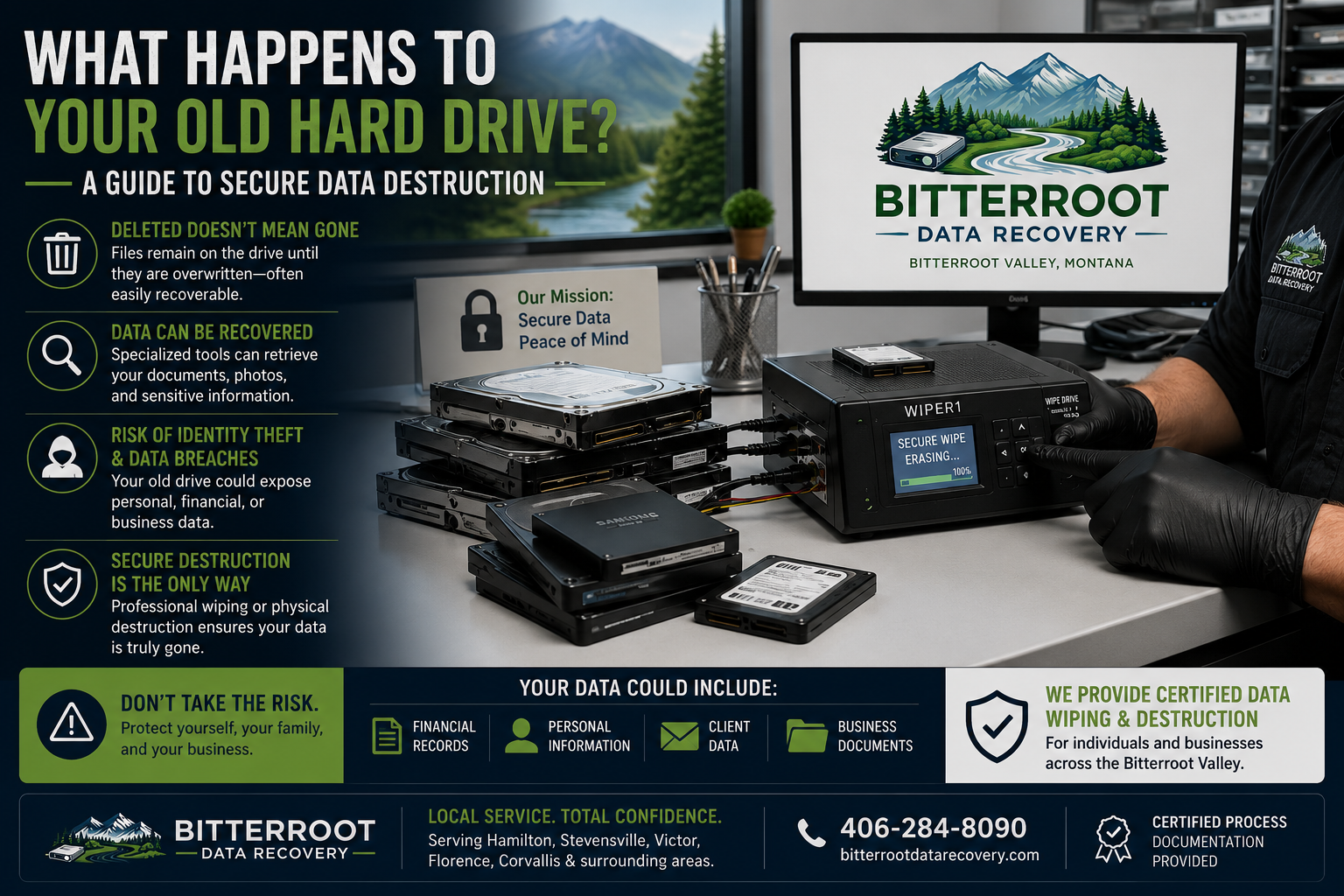
Problem: Tossing a hard drive or laptop in the trash exposes you to identity theft and data breaches. Even if a drive is non-functional or “dead,” specialized data recovery tools used by Bitterroot Data Recovery and other professionals can often retrieve fragments of sensitive files. Solution: Professional data sanitization that adheres to NIST 800-88 standards ensures that data is unrecoverable even with laboratory-grade equipment. Cost: The risk of identity theft far outweighs the $40 – $150 per drive fee for professional wiping and disposal.
Examples of Sensitive Data Found on Discarded Drives:
- Saved browser passwords and auto-fill data.
- Tax returns (PDFs) and QuickBooks company files.
- Medical records and HIPAA-protected health information.
- Scanned copies of driver’s licenses and Social Security cards.
Deleting vs. Secure Wiping
Problem: Most users believe that dragging a file to the “Trash” or “Recycle Bin” removes it from the drive. In reality, the operating system only removes the “pointer” to that file. The actual data remains on the disk platters or flash cells until it is eventually overwritten by new data. Solution: We perform a “Secure Wipe,” which involves overwriting every sector of the drive with random patterns of data. This renders the original files physically impossible to reconstruct. Cost: We offer free diagnostics to determine the health of your drive before recommending a wiping protocol.

Standard Formatting vs. Quick Format vs. Secure Wiping
Problem: Choosing the wrong “format” option leaves your data vulnerable.
- Quick Format: Only clears the file system table. 100% of your data remains and can be recovered in minutes.
- Standard/Full Format: Checks the drive for errors but does not guarantee the complete removal of data from all sectors.
- Secure Wiping (NIST 800-88): A systematic overwrite or firmware-level command that ensures zero data remains. Solution: Bitterroot Data Recovery uses industrial-grade tools to perform multi-pass wipes for HDDs and firmware-based erases for SSDs. Cost: $40–$150 per drive, with pricing determined by the drive type, capacity, and the level of secure erasure requested.
SSD vs. HDD: Different Technology, Different Rules
Problem: Traditional “overwriting” methods used for mechanical Hard Disk Drives (HDDs) are often ineffective on Solid State Drives (SSDs). SSDs use “wear leveling” and “over-provisioning,” meaning some data fragments may hide in cells that standard software cannot reach. Solution: For SSDs, we utilize Firmware-Based Secure Erase. This sends a hardware-level command to the SSD controller to flush all NAND flash cells simultaneously. For HDDs, we use multi-pass overwriting (DoD 5220.22-M) to neutralize the magnetic signature of the data. Cost: Secure SSD erasure is included in our standard computer retirement and repair packages.
Examples of Storage Types We Service:
- SATA and IDE internal hard drives.
- M.2, NVMe, and SATA Solid State Drives (SSDs).
- External USB backup drives.
- SD cards and USB flash drives.
Professional Services and Compliance
Problem: Local businesses in Stevensville, Victor, and Corvallis must comply with federal and state privacy laws. Medical offices (HIPAA), tax professionals (FTC Safeguards Rule), and law firms face significant fines if client data is leaked via discarded hardware. Solution: We provide a Certified Confirmation Report for every drive we wipe. This document includes the drive’s serial number, the method of destruction used, and a verification signature for your compliance records. Cost: Compliance-grade wiping and reporting is a high-value outcome designed to protect Bitterroot Valley business owners from legal liability.

The Bitterroot Data Recovery Process
Problem: You have a box of old laptops or drives in the garage and don’t know where to start. Solution:
- Drop-off: Bring your hardware to our facility. We serve residents from Florence to Hamilton.
- Diagnostic: We identify the drive type and health.
- Sanitization: We perform the appropriate NIST-compliant wipe (Firmware Erase for SSD / Multi-pass for HDD).
- Verification: We run a secondary scan to ensure no data is readable.
- Certification: You receive a formal report of destruction. Cost: Transparent upfront pricing ensures you know exactly what the job entails before we begin.
Computer Retirement and Recycling
Problem: Once a drive is wiped, you are still left with electronic waste (e-waste) that cannot be put in standard trash. Solution: We offer a comprehensive Computer Retirement Service. We handle the secure wipe, provide the certification, and then properly recycle the remaining hardware components (motherboards, power supplies, cases) according to environmental standards. Cost: This all-in-one service is the most efficient way for retirees and local businesses to clear out old equipment safely.

Secure Your Data Today
Do not leave your personal information to chance. Whether you are upgrading your home PC in Hamilton or decommissioning a server in Stevensville, professional data destruction is a requirement, not an option.
Bitterroot Data Recovery provides specialized logical data recovery and comprehensive computer repair services with a ‘no cure, no fee’ policy on logical recoveries.
Contact us to schedule your secure drive wipe:
- Secure Drive Erasure: $40–$150 per drive
- Diagnostics: Free
- Policy: No Data, No Charge (for recovery services)
- Phone: Contact Us via Website
- Location: Serving Hamilton, Stevensville, Victor, Corvallis, and Florence.