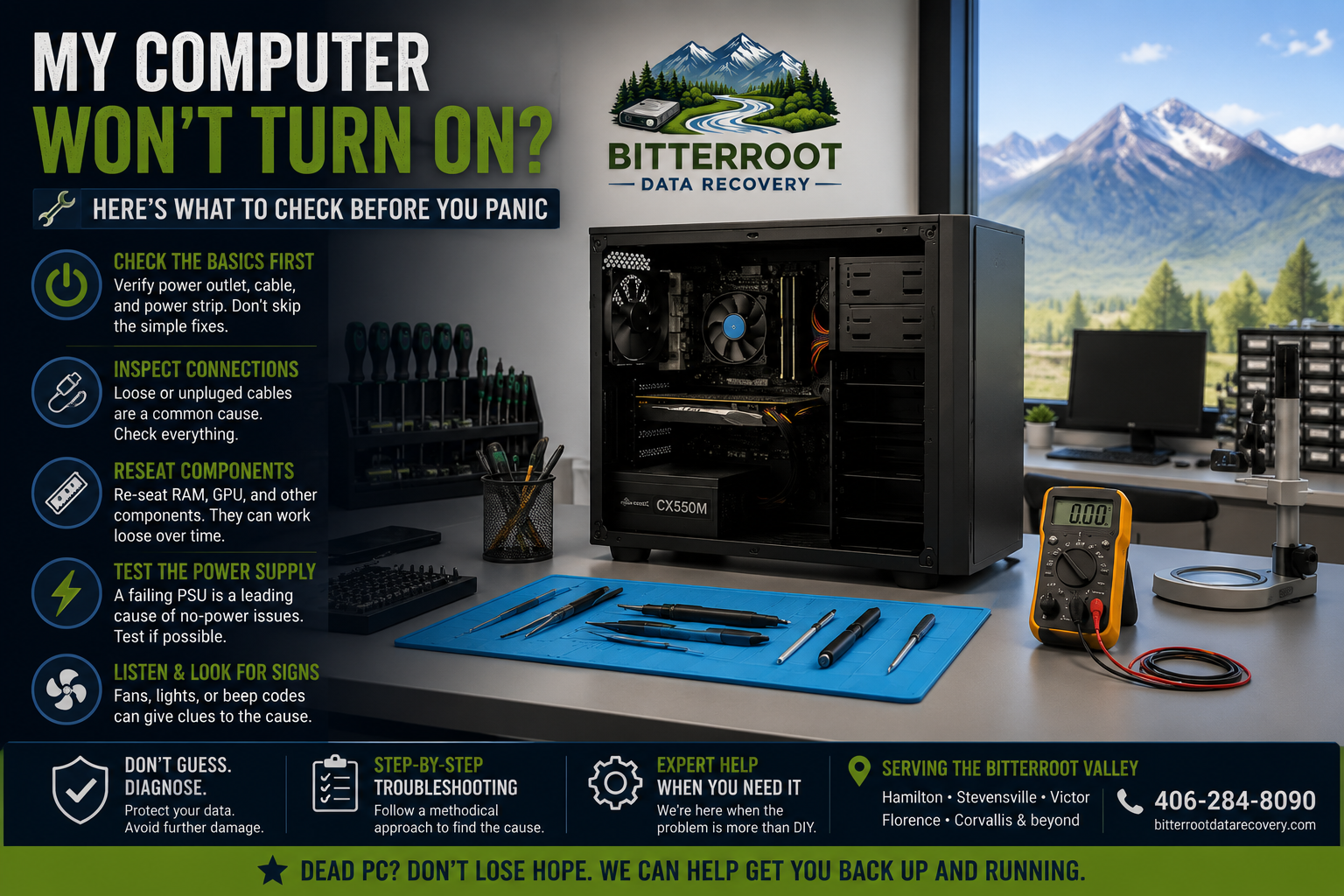
My Computer Won’t Turn On? Here’s What to Check Before You Panic

A computer that refuses to power on is a significant disruption, especially for businesses in Hamilton or students in Stevensville who rely on their devices for daily operations. Before assuming your hardware is permanently damaged, systematic troubleshooting can often identify simple, external causes.
At Bitterroot Data Recovery, we see dozens of “dead” computers every month that actually suffer from minor connectivity or component issues. This guide provides a clinical, step-by-step approach to diagnosing why your PC or laptop won’t turn on.
If these steps do not resolve the issue, we offer Free Diagnostics and professional IT support at a rate of $45/hr (1-hour minimum) to residents across the Bitterroot Valley, including Victor, Corvallis, and Florence.
1. Dead Power Outlet or Surge Protector
The most frequent cause of a “dead” computer is not the computer itself, but the source of its power. Power surges or tripped breakers can cut off electricity without warning.
The Problem The computer receives zero electrical current. There are no lights on the case, no fan noise, and no activity on the monitor.
The Solution (DIY)
- Test the Outlet: Unplug your computer and plug in a known-working device, such as a lamp or a phone charger, into the same wall socket.
- Reset the Surge Protector: Check the “Reset” switch on your power strip or surge protector. These frequently trip during the erratic weather patterns common in the Bitterroot Valley.
- Bypass the Strip: Plug the computer directly into the wall outlet to rule out a faulty surge protector.
The Cost If the outlet is dead, you may need an electrician. If the surge protector is dead, a replacement costs $15 – $50. If you are unsure and bring it to us, our initial assessment is Free.
Examples:
- A surge protector tripped after a localized thunderstorm in Corvallis.
- A wall outlet fuse blown by a high-draw appliance on the same circuit.
- A loose plug that was kicked or moved during cleaning.

2. Faulty Power Cable
Power cables (C13 cables for desktops or AC adapters for laptops) are susceptible to internal wire fraying and connector damage.
The Problem The cable appears connected, but internal damage prevents current from reaching the Power Supply Unit (PSU).
The Solution (DIY)
- Inspect the Cable: Look for visible kinks, bite marks from pets, or exposed wiring.
- Reseat Both Ends: Ensure the cable is pushed firmly into the back of the PC and the wall.
- Swap the Cable: Most desktop monitors use the same power cable as the PC. Swap them to see if the computer turns on with the monitor’s cable.
The Cost Replacement desktop power cables cost approximately $10. Laptop chargers range from $30 – $90. Professional verification of cable integrity is included in our Free Diagnostics.
Examples:
- A laptop charger cable frayed at the connector end due to constant bending.
- A desktop power cord that was not fully seated into the PSU socket.
- A cable damaged by a vacuum cleaner or office chair wheel.
3. Power Supply Unit (PSU) Failure
In desktops, the PSU is the internal box that converts wall electricity into the specific voltages your components need. It is the most common internal hardware failure point.
The Problem Internal capacitors or circuits within the PSU have failed. You may hear a “click” when pressing the power button, or there may be a faint smell of ozone/burning.
The Solution (DIY)
- Check the I/O Switch: Ensure the small rocker switch on the back of the computer (near the power cord) is set to the “I” (On) position, not “O” (Off).
- The Paperclip Test: This is an advanced DIY step to see if the PSU will spin its own fan when jumped. However, we recommend professional testing to avoid electrical shock.
The Cost PSU replacement typically costs $60 – $150 for the part, plus our $45/hr labor fee. Most PSU swaps are completed within 1 hour.
Examples:
- A 5-year-old power supply finally failing due to component age.
- A cheap “no-name” PSU burning out during a power dip in Florence.
- Dust buildup causing the PSU fan to fail, leading to an internal overheat and shutdown.

4. Failed Motherboard or CPU
If the power supply is working but the computer still won’t POST (Power-On Self-Test), the issue likely lies with the motherboard or the processor.
The Problem The motherboard is the “nervous system” of the computer. If a single capacitor fails or a trace is shorted, the system will refuse to boot to protect itself.
The Solution (DIY)
- Clear CMOS: Remove the small coin-shaped battery (CR2032) from the motherboard for 30 seconds, then put it back. This resets BIOS settings to factory defaults.
- Check for Lights: Look for small “Easy Debug” LEDs on the motherboard. They are often labeled CPU, DRAM, VGA, or BOOT.
The Cost Motherboard replacement is a complex repair. Parts cost $80 – $300+, and labor usually takes 1.5 – 2 hours ($67.50 – $90). We provide a firm quote after our Free Diagnostics.
Examples:
- A motherboard short-circuited by a loose screw or excessive dust.
- Failed VRMs (Voltage Regulator Modules) preventing the CPU from receiving power.
- A BIOS update that was interrupted, leaving the motherboard “bricked.”
5. Loose Internal Hardware (RAM or GPU)
Components can vibrate loose over time, or the metal contacts can oxidize, breaking the connection required for the computer to start.
The Problem The computer turns on (fans spin, lights glow), but nothing appears on the screen. It may emit a series of “beeps.”
The Solution (DIY)
- Reseat the RAM: Open the side panel, unclip the memory sticks, and firmly press them back in until they click.
- Reseat the GPU: If you have a dedicated graphics card, unplug it from the motherboard and re-insert it.
The Cost If reseating the hardware works, the cost is only the time spent. If we perform this service, it falls under our $45/hr troubleshooting rate.
Examples:
- A PC moved from a home in Victor to a new office in Hamilton, causing RAM to shift.
- Oxidation on RAM contacts in a high-humidity environment.
- A heavy graphics card “sagging” and losing contact with its slot.

6. Laptop-Specific Power Issues
Laptops have unique power requirements involving batteries and specialized DC jacks.
The Problem The laptop won’t charge or won’t turn on even when plugged in.
The Solution (DIY)
- Perform a Hard Reset: Unplug the charger. If the battery is removable, take it out. Hold the power button down for 30 seconds. Reconnect only the charger and try to turn it on.
- Inspect the DC Jack: Wiggle the charger tip gently where it enters the laptop. If it feels loose or “wobbly,” the internal charging port may be broken.
The Cost DC Jack repairs typically cost $100 – $150 total (parts and labor). New batteries range from $40 – $120.
Examples:
- A laptop dropped while plugged in, snapping the internal DC jack.
- A lithium-ion battery that has reached its end-of-life and is preventing the system from drawing AC power.
- Static buildup in the motherboard capacitors requiring a power drain.

When to Seek Professional Repair
Troubleshooting a dead computer can be frustrating. If you have checked the power outlet and cables and the system remains unresponsive, it is time for professional intervention.
At Bitterroot Data Recovery, we specialize in identifying the specific component failure to save you from buying a new computer unnecessarily. Our commitment to the Bitterroot Valley community includes:
- Free Diagnostics: We tell you what is wrong before you pay a dime.
- Transparent Pricing: $45/hr labor with no hidden fees.
- No Cure, No Fee: For logical data recovery services, if we can’t get your data, you don’t pay.
- Local Service: Conveniently located to serve Hamilton, Stevensville, Victor, and beyond.
If your computer won’t turn on and you are worried about your files, read our guide on hard drive failure signs or contact us today to schedule a drop-off.
Whether it’s a failed laptop battery or a complex hardware fault, we provide the technical expertise needed to get you back online quickly and affordably.