Virus Removal vs Factory Reset: Which Is Better?

When a computer becomes infected with malware, the primary objective is to restore system integrity and protect personal data. There are two primary recovery paths: targeted virus removal (cleaning the existing system) or a factory reset (wiping the system and starting fresh). Both methods have specific technical requirements, costs, and risks.
At Bitterroot Data Recovery, we utilize a clinical approach to determine the most efficient and secure path for your hardware. This guide provides a direct comparison to help you decide which service fits your specific scenario.
1. Initial Diagnostic: Identifying the Infection
Problem: System Instability and Performance Degradation
Malware manifests in various ways, from aggressive browser redirects to complete system lockouts (ransomware). Without a professional diagnostic, it is impossible to determine if the issue is a simple software glitch or a deep-seated rootkit that has compromised the Windows kernel.
Solution: Hardware and Software Audit
We perform a multi-point inspection to differentiate between hardware failure (such as a failing HDD/SSD) and malware. We utilize non-destructive imaging to create a safety copy of your drive before any cleaning begins. This ensures your data is protected even if the OS is severely corrupted.
Examples of Infection Symptoms:
- Unauthorized Pop-ups: Advertisements appearing even when the browser is closed.
- System Slowdown: Sudden, unexplained CPU or RAM spikes.
- Redirected Searches: Google searches leading to unfamiliar, suspicious domains.
- Disabled Security: Windows Defender or third-party antivirus software being turned off automatically.
Cost and Turnaround
- Diagnostic Fee: $0 (Free Diagnostics at Bitterroot Data Recovery)
- Turnaround Time: 24–48 hours
- Outcome: A clear report on the infection type and a recommended path (Removal or Reinstall).
2. Professional Virus Removal (Clean-in-Place)
Problem: Malware Infection Without Data Loss
If you have specialized software, custom settings, or years of personal files that are not backed up, a factory reset is often undesirable. The goal is to extract the malware while leaving the operating system and user files intact.
Solution: Logical Data Cleaning
Our technician uses a proprietary sequence of offline and online scanners to identify and neutralize malicious code. Unlike standard retail software, we perform “offline” cleaning by booting the drive in a specialized environment where the virus cannot hide behind active Windows processes.

Examples of Cleanable Threats:
- Adware: Programs that force advertisements onto your screen.
- Spyware: Malicious code designed to track your keystrokes or browsing habits.
- Trojans: Files that look legitimate but contain a hidden malicious payload.
- Browser Hijackers: Malware that alters your browser settings without permission.
Cost and Outcome
- Estimated Cost: $100 – $150 (depending on complexity)
- Service Outcome: Malware removed, system optimized, and personal files preserved.
- Turnaround Time: 1–2 Business Days
3. Factory Reset and Clean Reinstall (The “Nuke and Pave”)
Problem: Irreparable System Corruption or High-Risk Threats
Some malware is so destructive that cleaning the files is either impossible or leaves the system permanently unstable. In cases of ransomware or rootkits, the “clean-in-place” method may leave behind trace elements that can re-infect the machine later.
Solution: Secure Wipe and Fresh OS Installation
We perform a multi-pass wipe of the drive (following secure data destruction standards) and reinstall a fresh, licensed version of Windows. This removes all third-party bloatware, eliminates 100% of the malware, and restores the machine to factory-fresh performance.

Examples of Situations Requiring a Reinstall:
- Ransomware: If files are encrypted, a reinstall is the only way to make the hardware usable again.
- Bootkits: Malware that infects the Master Boot Record (MBR) or UEFI.
- Severe Registry Damage: When virus removal leaves Windows unable to boot or update.
- Selling/Gifting Hardware: Ensuring no personal data or latent threats remain for the next user.
Cost and Outcome
- Estimated Cost: $125 – $175 (includes OS updates and driver configuration)
- Service Outcome: A “like-new” computer with 100% security certainty.
- Turnaround Time: 24 Hours
4. Data Backup and Preservation Logic
Problem: Potential Data Loss During Recovery
The greatest risk of a factory reset is the loss of user data. Conversely, the greatest risk of virus removal is the accidental deletion of infected files that the user might need.
Solution: Secure Data Migration
At Bitterroot Data Recovery, we don’t just “reset” your PC. We offer a secure data migration service. We back up your documents, photos, and critical files, scan them individually for dormant viruses, and move them back to the fresh system once it is secure. This provides the safety of a factory reset with the convenience of keeping your files.
Examples of Data We Preserve:
- User Profiles: Desktop, Documents, Downloads, and Pictures folders.
- Browser Data: Bookmarks and saved favorites (where safe).
- Accounting Data: QuickBooks files, spreadsheets, and tax documents.
- Media Libraries: Family photos, videos, and music collections.
Cost and Outcome
- Data Backup Add-on: $50 – $100 (based on data volume)
- Guarantee: “No Cure, No Fee” policy applies to data retrieval.
- Security Outcome: Malware-free data restored to a clean system environment.
5. Decision Matrix: Which Service Should You Choose?
Problem: Choosing the Most Cost-Effective Path
Home users and businesses in the Bitterroot Valley need to balance the cost of labor against the value of their time and data.
Solution: Clinical Comparison
Below is a direct comparison to facilitate your decision.
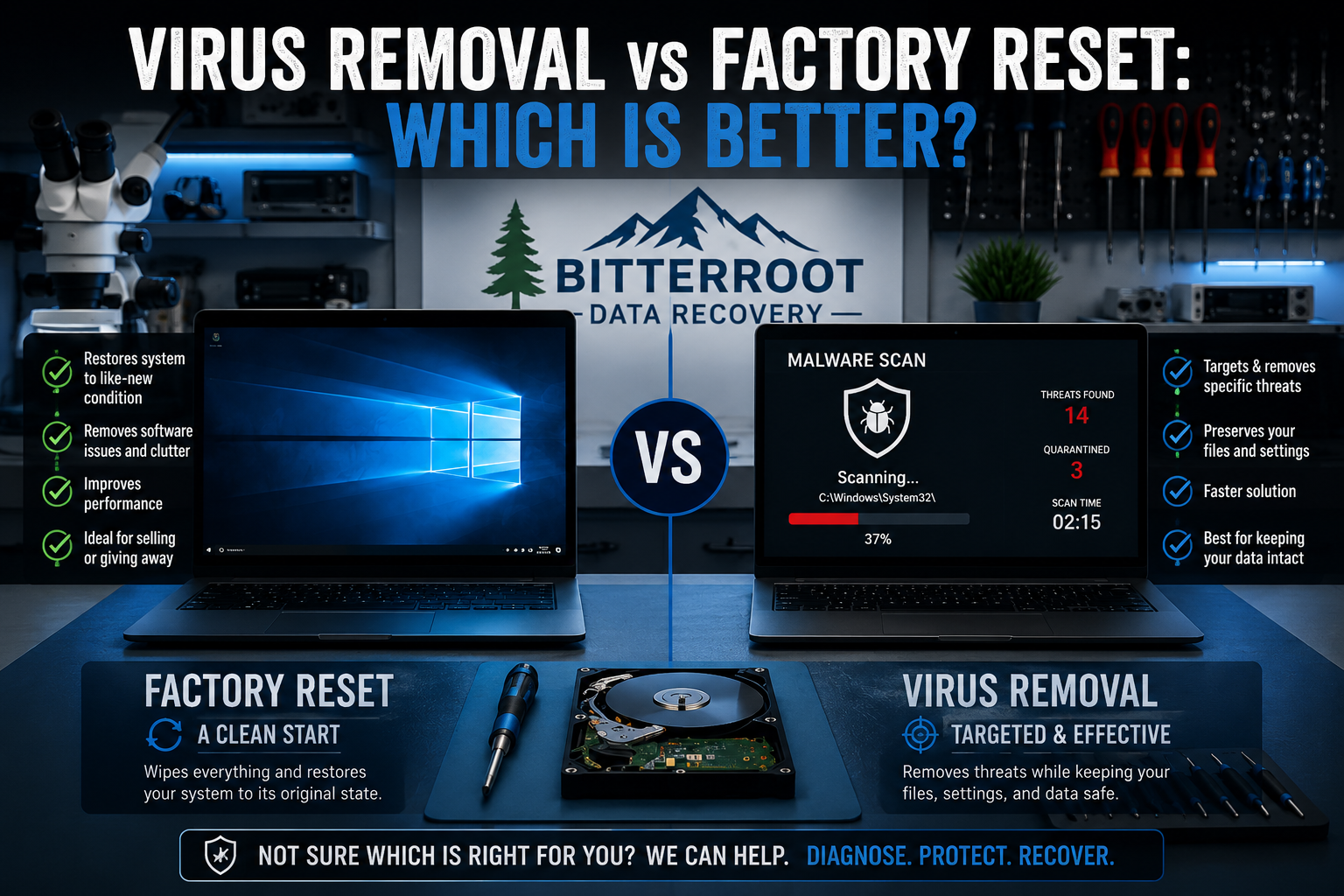
| Feature | Virus Removal (Cleaning) | Factory Reset (Reinstall) |
|---|---|---|
| Success Rate | High for standard malware | 100% (Guaranteed clean) |
| Software Preservation | Keeps all programs/settings | Requires reinstallation of all apps |
| System Performance | Improved | Maximum (Like-new speed) |
| Security Certainty | High | Absolute |
| Best For | Minor infections, complex software | Ransomware, severe lag, deep threats |
Examples of Best-Fit Scenarios:
- Choose Virus Removal if: You have a licensed version of Adobe Creative Suite or specialized medical/legal software that is difficult to reinstall.
- Choose Factory Reset if: You use your computer primarily for web browsing, email, and basic office tasks where a fresh start is beneficial.
Cost Comparison Summary
- Manual Cleanup: Usually $100 – $150. Best for preserving expensive software.
- Clean Reinstall: Usually $125 – $175. Best for total peace of mind and speed.
Summary and Professional Guarantee

At Bitterroot Data Recovery, we prioritize the safety of your information. Whether we are surgically removing a trojan or performing a complete system rebuild, our processes are non-destructive and transparent. If we cannot recover your data during a logical recovery process, we adhere to our “no cure, no fee” policy.
We serve all residents and businesses in Hamilton, Stevensville, Victor, Corvallis, and Florence. If your computer is exhibiting strange behavior, do not wait for the infection to spread or for ransomware to lock your files.
Contact Information
- Visit Us: https://bitterrootdatarecovery.com/contact
- Service Inquiries: Client Intake Form
- Pricing Details: Recovery Pricing Guide
Get your free diagnostic today and secure your digital life.