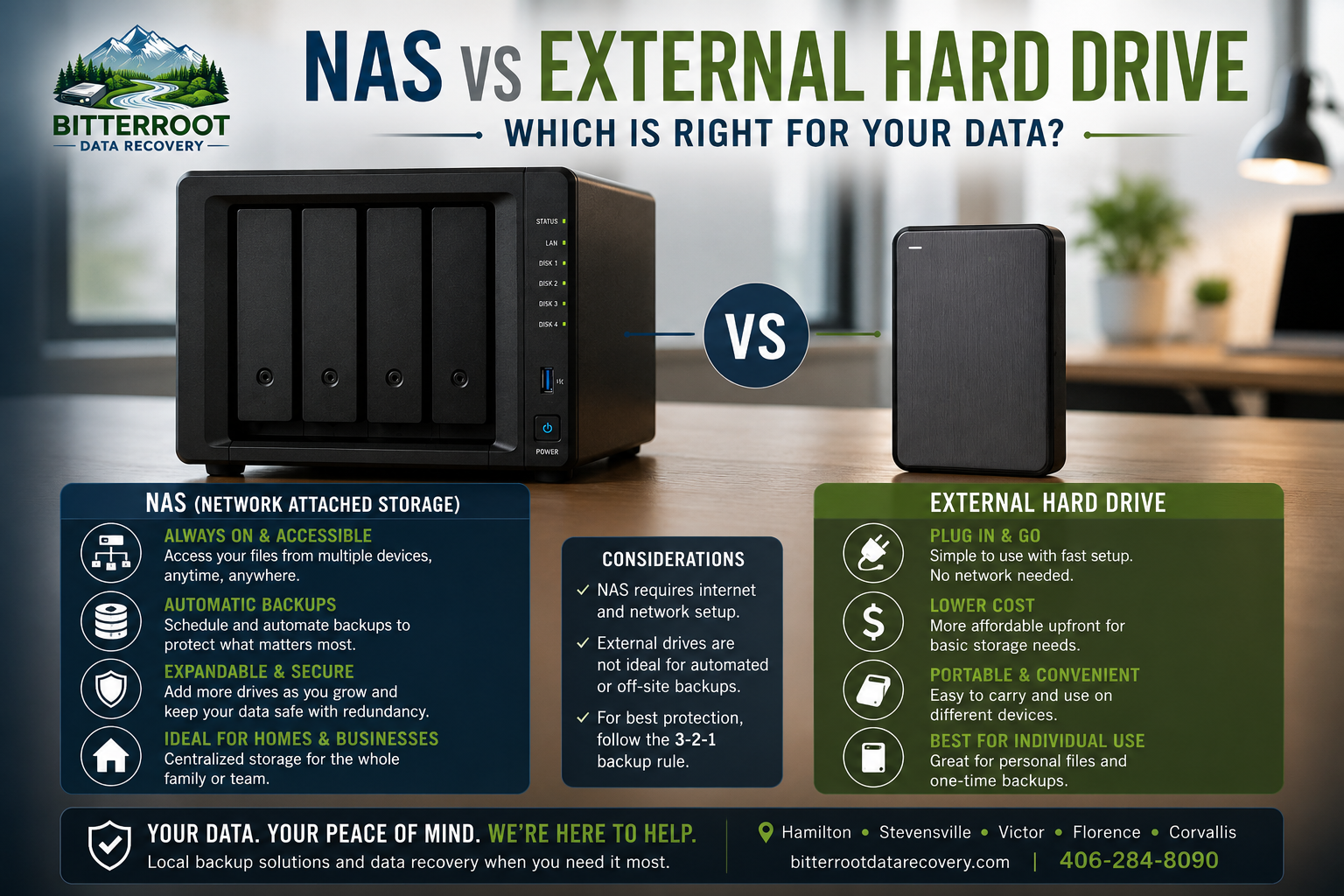
NAS vs External Hard Drive: Which Is Right for Your Data?

Choosing the right way to store your digital life is a critical decision. Whether you are a photographer in Hamilton, a small business owner in Stevensville, or a retiree in Florence, your data: photos, tax documents, and client records: is irreplaceable. Most people realize they need a backup only after a drive fails.
At Bitterroot Data Recovery, we see drive failures every day. The debate usually comes down to two options: an External Hard Drive or a Network Attached Storage (NAS) system. This guide breaks down the technical differences, costs, and practical applications for each to help you make an informed choice.
What is an External Hard Drive?
The Problem: You have a single computer with limited storage space or no secondary copy of your important files. You need a way to move files between a home office and a business location without relying on the cloud.
The Solution: An external hard drive is a self-contained storage device that plugs directly into your computer’s USB or Thunderbolt port. It acts as a massive “thumb drive” for your PC or Mac. It is the most common form of local backup because it requires no network configuration.
The Cost: External hard drives are the most budget-friendly option. A standard 1TB drive typically costs $80, while a 2TB drive costs approximately $110. There are no ongoing subscription fees or complex hardware maintenance costs.
Examples:
- Family Photos in Hamilton: A parent plugging in a drive once a month to copy the latest folder of “2026 Summer Photos.”
- Document Transfer in Victor: A remote worker moving large project files from a laptop to a desktop without using slow internet bandwidth.
- Simple Backups: A retiree using Windows File History to automatically back up their “Documents” folder every time the drive is plugged in.
What is a NAS (Network Attached Storage)?
The Problem: You have multiple computers, tablets, and phones in one household or office. You want a centralized location where everyone can access files simultaneously. You also want protection against hardware failure: if one drive inside the unit breaks, you don’t want to lose your data.
The Solution: A NAS is essentially a dedicated mini-computer designed only for storage. It connects to your Wi-Fi router via an Ethernet cable. Once set up, it appears as a “Network Drive” on every device in your home or office. It often uses multiple hard drives in a RAID configuration (Redundant Array of Independent Disks), which mirrors data across multiple disks for safety.
The Cost: NAS systems have a higher upfront investment. A quality 2-bay enclosure (the “box”) usually costs between $200 and $400. You must then purchase the hard drives separately, which can add $200 to $600 depending on the capacity. Total professional setup usually ranges from $500 to $1,200+.
Examples:
- Small Business in Stevensville: A local shop sharing QuickBooks files and customer databases across three different workstations in real-time.
- Multi-Device Family in Victor: Kids accessing a shared movie library on their tablets while parents back up work laptops to the same central device.
- Automated Security: A homeowner in Corvallis using a NAS to store 24/7 video surveillance footage from multiple security cameras.
Technical Comparison Breakdown
When deciding between these two, you must evaluate five key metrics: price, ease of use, accessibility, redundancy, and speed.
| Feature | External Hard Drive | NAS (Network Attached Storage) |
|---|---|---|
| Upfront Price | $50 – $150 | $400 – $1,000+ |
| Setup Ease | Plug-and-play (No experience needed) | Moderate (Requires network config) |
| Accessibility | One device at a time | Multiple devices simultaneously |
| Redundancy | None (Single point of failure) | High (RAID protects against drive failure) |
| Remote Access | None (Must be physically present) | Yes (Access files via internet/app) |
| Best For | Individuals / Students / Retirees | Families / Small Businesses / Power Users |
Which One Should You Choose?
The Case for the External Hard Drive
If you are an individual with one laptop and your main goal is to have a “just in case” copy of your resumes and photos, an external hard drive is the logical choice. It is simple, portable, and doesn’t require a fast internet connection or a router. For many residents looking for computer repair in Hamilton MT, we often recommend a high-quality external SSD for its speed and durability.
- Best for: Students at UM, retirees, and single-computer households.
- Outcome: Low-cost protection that is easy to manage.
The Case for a NAS
If you run a business or have a “digital-heavy” household, a NAS is a superior investment. It eliminates the “where did I save that file?” problem by centralizing everything. More importantly, it provides redundancy. If an external hard drive’s motor fails, you need professional data recovery near me to get your files back. If one drive in a NAS fails, the system stays online, and you simply swap the dead drive for a new one.
- Best for: Local businesses in Florence or Stevensville, families with 3+ devices, and creative professionals.
- Outcome: High-reliability, automated, and shared storage environment.
The Ultimate Setup: The 3-2-1 Backup Strategy
At Bitterroot Data Recovery, we don’t just advocate for one or the other. For maximum safety, we recommend the 3-2-1 Rule. This is the professional standard for preventing data loss.
- 3 Copies of Data: Keep your original files plus two backup copies.
- 2 Different Media Types: Store your backups on different types of hardware (e.g., one NAS and one External Drive).
- 1 Off-site Copy: Keep one backup in a different physical location (e.g., a cloud service or an external drive kept at a relative’s house in Missoula).
The Hybrid Approach: Many of our clients use a NAS for their daily, automated backups. They then plug an external hard drive into the NAS once a week to “clone” the most important files. That external drive is then stored in a fireproof safe or at an off-site office. This covers you against drive failure, accidental deletion, and even physical disasters like fire or theft.
How Bitterroot Data Recovery Can Help
Setting up a reliable backup system can be intimidating. If you are worried about losing your data, we provide expert backup solutions tailored to the Bitterroot Valley. We take the guesswork out of the process with transparent, upfront pricing.
Our Storage & Backup Services:
- External Drive Sales: We stock reliable, pre-tested drives.
- 1TB External Drive: $80
- 2TB External Drive: $110
- Backup Setup Service: We configure your computer to back up automatically.
- Setup Fee: $120 – $300 (depending on complexity).
- The “Peace of Mind” Bundle: $180
- Includes a 1TB Backup Drive plus Automated Backup Setup.
- NAS Installation & Configuration: Custom quotes based on your specific business or home needs. We handle the wiring, RAID configuration, and user permissions.
- SSD Upgrade Service: If your current computer is slow, we can perform an SSD upgrade service to make it run like new before setting up your backups.
We offer Free Diagnostics for most services. If you aren’t sure if your current drive is healthy, bring it into our shop. We’ll check the “S.M.A.R.T.” status of your disk to see if it is nearing the end of its life.
Summary of Findings
Choose an External Hard Drive if:
- You only have one computer.
- You have a limited budget under $150.
- You want the simplest possible “plug-and-play” solution.
Choose a NAS if:
- You have multiple people needing access to the same files.
- You want backups to happen automatically without plugging anything in.
- You cannot afford even an hour of downtime if a hard drive fails.
Not sure which storage solution fits your needs? Call or text Bitterroot Data Recovery at (406) 284-8090 or email contact@bitterrootdatarecovery.com. We’ll help you find the right setup for your home or business.